The task sheet that notifies, schedules and archives without being asked
An automation on an agency's task sheet: every complete brief becomes an event on the team calendar and an email notification, finished work archives itself and every morning each person receives what is due in the next three days.
From problem to solution
- 01 · The challenge
TresBe's team organised its work in a spreadsheet with one tab per person.
It worked as long as someone remembered to notify, add it to the calendar and move finished work. With thirteen people and briefs from several clients at once, tasks went unannounced, dates got lost and the sheet filled up with work already delivered.
- 02 · What we did
We left the sheet as it was, because the team already knew how to use it, and made it work on its own.
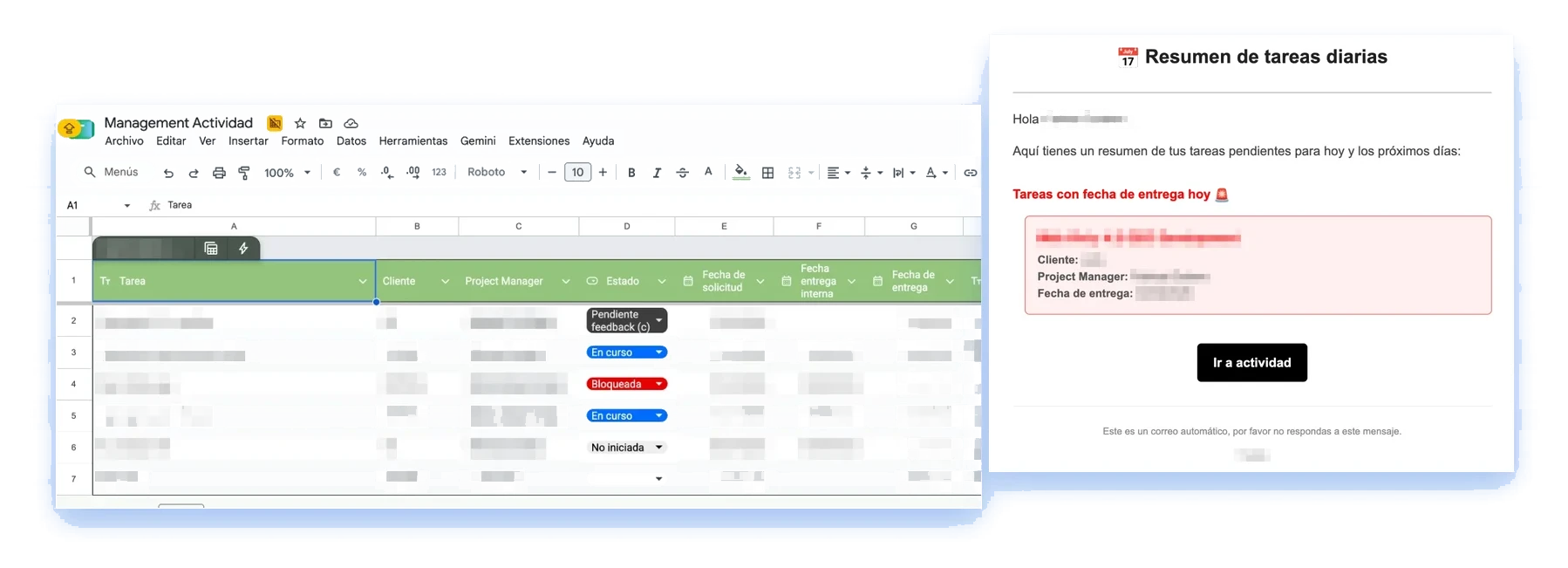
When a task has all its details, it gets a unique ID, its event is created on the shared calendar in the owner's colour and an email goes to that person and the project manager. If the date changes, the event is updated instead of duplicated. The tab re-sorts by delivery date, and when a task is marked complete it moves to that year's archive with the name of whoever did it. Every morning at seven, each person gets a summary of what is due in the next three days, separating what is urgent today and what they oversee as project manager.
How it comes together
Inside the project
Measurable results
Services used on this project
Tech stack used
- Google Apps Script
- Google Sheets
- Google Calendar
- Gmail
Want something like this for your business?
Tell us about the challenge. In a first call we work out whether we are a good fit and how we could work together.
Ready to work together?
Schedule a meeting or tell us about your project. We respond quickly, no strings attached.